Install on Mac
- ▸macOS 13.5+
- ▸Requires Webcam and Stable Internet
- ▸Content Protection
- ▸Flag Suspicious Actions
- 1Click the button below to download Originis.dmg.
- 2Open the .dmg file and drag Originis into your Applications folder.
- 3On first launch, macOS may block the app. Go to System Settings → Privacy & Security and click Open Anyway.
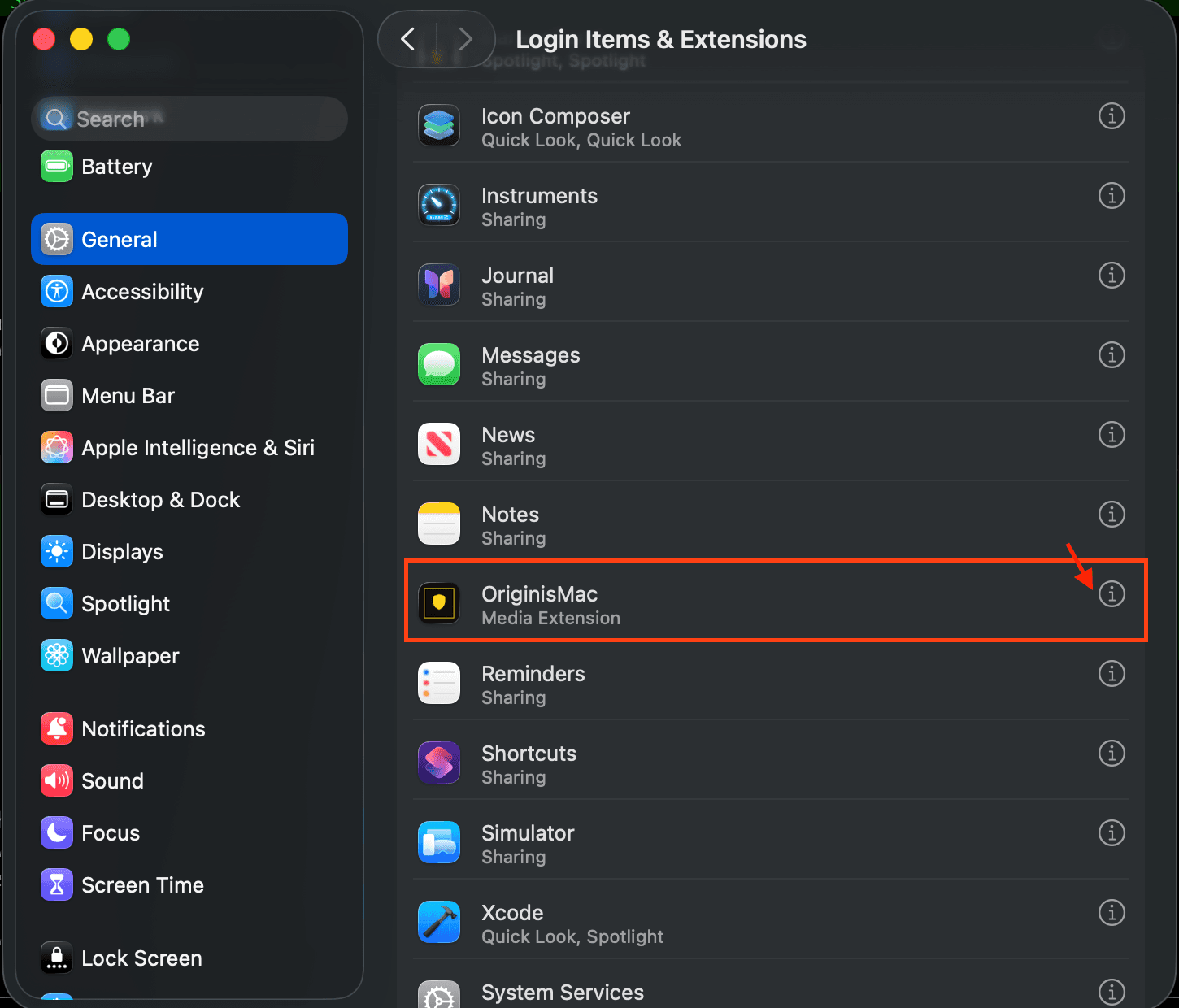
- 4Go to System Settings → General → Login Items & Extensions, scroll down to OriginisMac, and enable Media Extension.
- 5Launch Originis from Applications and enter the exam code provided by your instructor.
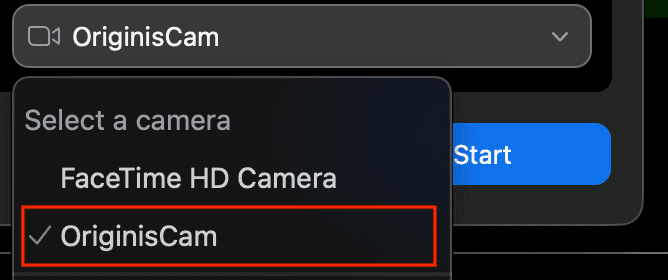
- 6If you use a video conferencing app (Zoom, Google Meet, etc.), select Originis Web Cam as your camera source.
Need help? Contact support